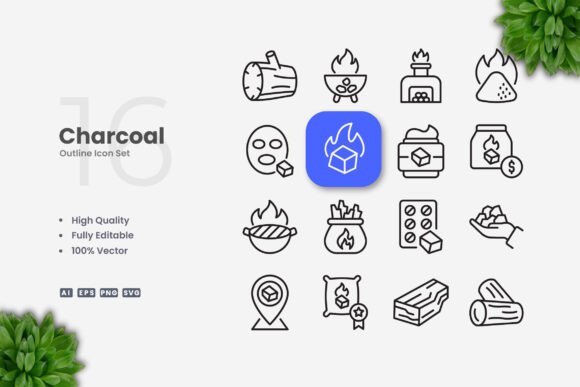
Charcoal Icons: Simple, Clean, and Versatile
Charcoal Icons offer a minimalist approach to visual design, combining elegance with functionality. These icons are ideal for a wide range of projects, from websites and mobile apps to print materials and social media content. Their clean lines and neutral tones make them adaptable to various themes and styles, ensuring they remain relevant across different platforms and audiences.
What Are Charcoal Icons?
Charcoal Icons are a collection of vector-based illustrations designed with simplicity in mind. Each icon is crafted using a monochrome palette, typically featuring black and white elements that evoke a sense of sophistication and clarity. The design philosophy emphasizes minimalism, focusing on clear shapes and straightforward forms that communicate ideas effectively without unnecessary details.
Unlike more complex or colorful icon sets, Charcoal Icons prioritize readability and consistency. This makes them particularly useful for users who need a reliable visual language that works across multiple mediums. Whether you're designing a website, creating a presentation, or developing an app, these icons provide a cohesive and professional look.
Why Different Audiences Care About Charcoal Icons
While the appeal of Charcoal Icons may seem universal, different users may value them for distinct reasons. For instance, beginners might appreciate the ease of use and accessibility, while professionals could focus on their versatility and adaptability. Let's explore how various groups might approach these icons.
Beginners and Hobbyists
If you're just starting out in design, Charcoal Icons can be a great resource. Their simple structure makes them easier to understand and modify, allowing you to experiment with layout, color, and composition without getting overwhelmed. You can drag and drop these icons into your projects quickly, helping you build confidence as you learn the basics of visual design.
Professionals and Creators
Designers, developers, and content creators often require icons that can integrate seamlessly into their workflows. Charcoal Icons are fully editable in vector software like Adobe Illustrator or CorelDRAW, making it easy to adjust stroke weight, colors, or proportions. This level of customization ensures that the icons can match the specific needs of your project, whether it's for a brand, a digital product, or a marketing campaign.
Business Owners and Marketers
For entrepreneurs and marketers, visual consistency is key. Charcoal Icons help maintain a professional and cohesive brand identity across different channels. Their clean aesthetic can enhance user experience on websites and apps, while their flexibility allows for easy adaptation to different formats, such as social media posts or printed materials. This makes them a valuable asset for businesses looking to present a polished image.
Educators and Students
Teachers and students may find Charcoal Icons useful for educational materials, infographics, or presentations. The simplicity of the design helps convey information clearly, making it easier for learners to focus on the content rather than the visuals. Additionally, the availability of source files allows educators to customize icons to suit specific lessons or topics, adding a personal touch to their teaching resources.
Key Features of Charcoal Icons
Charcoal Icons come with several features that make them a practical choice for designers and developers. Here are some of the most notable aspects:
- High Quality Design: Each icon is created with precision, ensuring sharp lines and consistent proportions.
- 100% Vector: The icons are scalable without loss of quality, making them suitable for any size or resolution.
- 100% Customizable: You can easily change colors, stroke weights, and other properties to fit your design needs.
- Editable Stroke: Adjusting the thickness of lines is straightforward, allowing for greater control over the final look.
- Easy Drag and Drop: The files are ready to use, saving time and effort when integrating them into your projects.
Files Included and Compatibility
The Charcoal Icons package includes a variety of file types to ensure compatibility across different platforms and tools. These include:
- Source File Ai: Editable in Adobe Illustrator for advanced customization.
- EPS Version 10: A widely supported format for vector graphics.
- SVG File: Ideal for web use and responsive design.
- PNG Transparency: Perfect for digital projects where transparent backgrounds are needed.
- Readme.txt: Provides instructions and additional information about the icons.
While the mockup is not included, the provided files offer everything you need to start using the icons immediately. This makes them a convenient option for users who want to focus on their work without unnecessary complications.
How to Choose the Right Icon Set for Your Needs
When evaluating whether Charcoal Icons are right for you, consider your goals, skill level, and project requirements. If you're looking for a versatile, high-quality set that's easy to edit and use, these icons may be an excellent fit. However, if you need more elaborate or colorful designs, you may want to explore other options.
For example, a small business owner aiming to create a modern website might find Charcoal Icons helpful in maintaining a clean and professional appearance. On the other hand, a graphic designer working on a creative project may prefer a more expressive or detailed icon set. Understanding your priorities—whether it's speed, flexibility, or visual impact—can help you make an informed decision.